Everyone plays. You keep score.
Run a small round-robin tournament from a laptop—even when venue Wi-Fi is unreliable. This example uses eight fictional teams, not a real customer event.
Choose the format and check the field
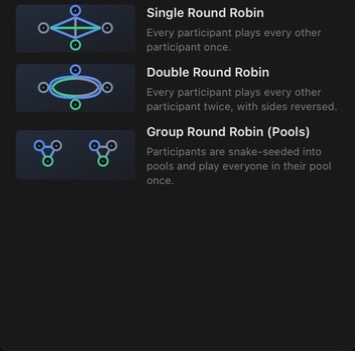
In a single round robin, each entrant meets every other entrant once. Eight teams mean seven rounds and 28 matches, so allow enough venue time. If that is too many matches, choose a shorter format instead.
In Bracketware, create a tournament, choose Single Round Robin and add the entrants. Check names before play begins. Agree on scoring and tie-break rules with participants before the first result is recorded.
Move through the rounds
Enter results as matches finish and review them before completing the round. Open the next round when it becomes available. The Matches view shows what is happening now; Standings shows the current ranking. A partial table is not a final result—finish the scheduled rounds before presenting the final standings.
The core scoring workflow runs locally. You do not need a Bracketware account or venue Wi-Fi to record results, but you still need to protect the event computer and its backups.
Review and export the standings
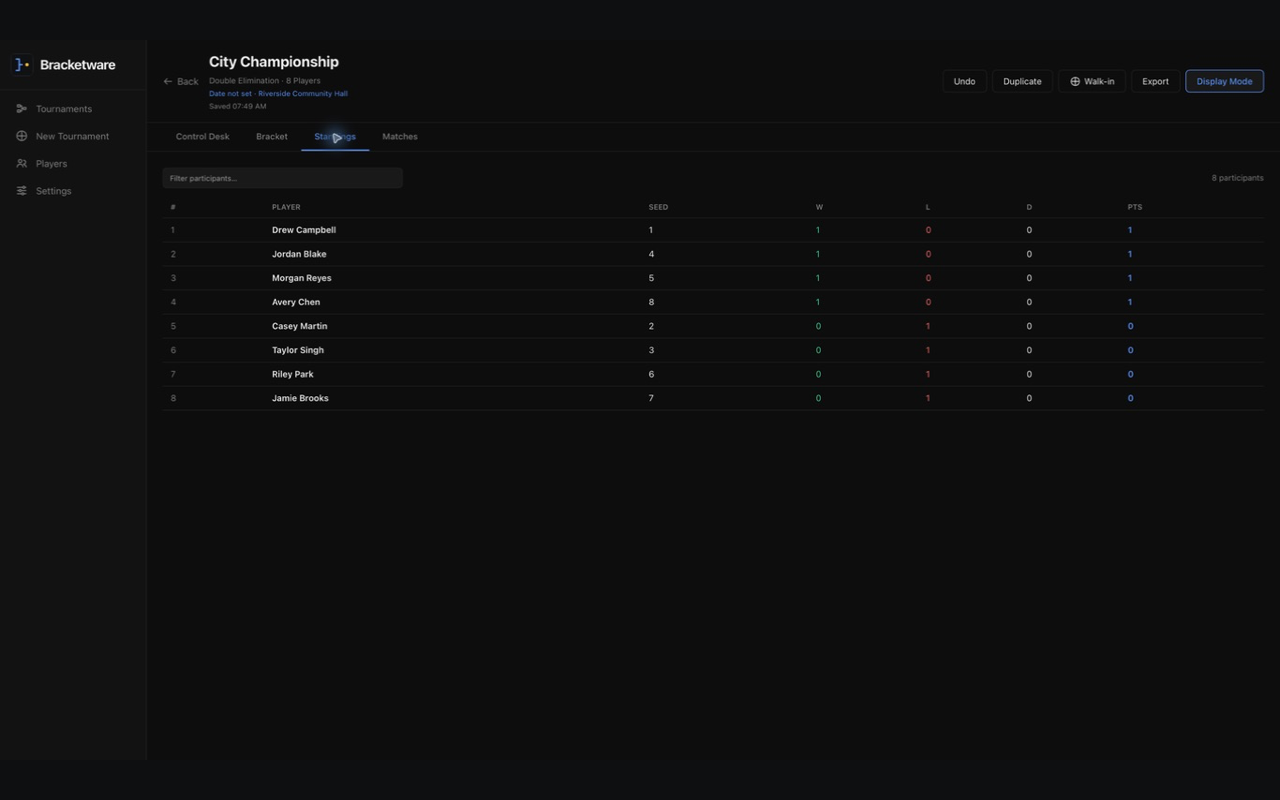
Open Standings, check the final ordering and export the table as CSV. Inspect the saved file before sharing it, particularly when real participant names are included. Keep a full Bracketware backup separately if you may need to restore the tournament itself later; a standings CSV is not a complete backup.
Is this right for your club?
Bracketware suits an organizer who wants to run an event from a local computer without a recurring subscription. It is not a hosted public bracket link or an online registration service. If either is essential, this local workflow may not replace the other tools you use.
New to the app? Start with the complete Bracketware walkthrough, then check the release log for features available in your installed version.